Klipsch ProMedia Lumina Desktop Speaker System Review: Elevating Desktop Audio in 2025
Desktop audio has come a long way in recent years. Where once small, generic speakers dominated desks, now premium options deliver studio-grade sound and versatile…

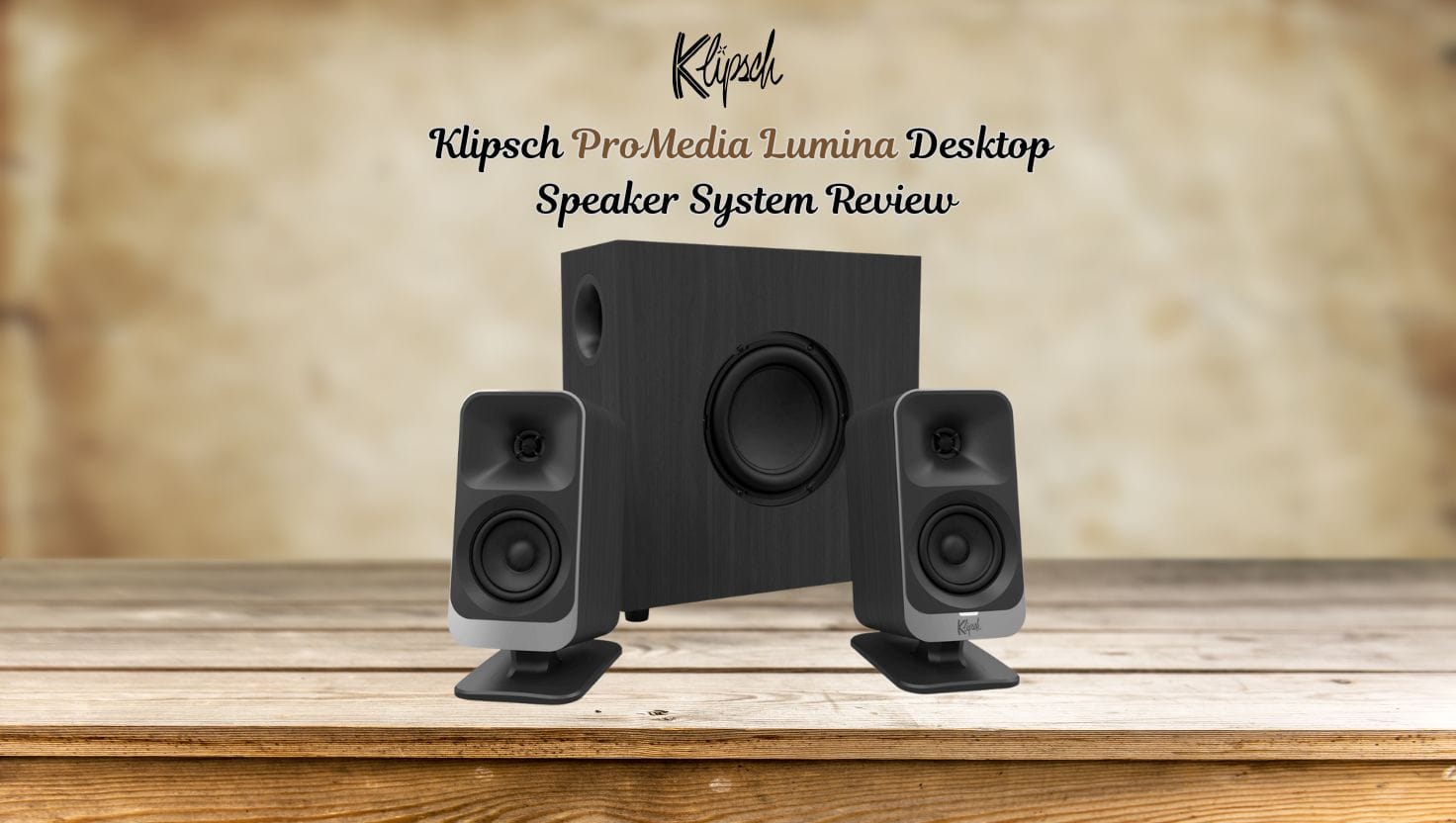
Desktop audio has come a long way in recent years. Where once small, generic speakers dominated desks, now premium options deliver studio-grade sound and versatile connectivity. Among the leaders, Klipsch ProMedia Lumina Desktop Speaker has long been celebrated for high-fidelity audio, horn-loaded tweeters, and a commitment to clear, dynamic sound. The ProMedia Lumina Desktop Speaker System is Klipsch’s latest offering, designed to bring professional-quality audio to desktops, gaming setups, and creative workstations across the United States.
In this review, we will cover all aspects of the Lumina system—its design, technical specifications, audio performance, connectivity, usability, lighting features, comparisons with other desktop audio systems, installation tips, and why it’s a worthy upgrade for 2025.
The Evolution of Desktop Audio
For decades, computer speakers were utilitarian at best—small, underpowered, and often lacking clarity or depth. Klipsch changed that narrative with the original ProMedia line, offering high-performance audio in a compact form factor. The Lumina system builds on that legacy with modern design, smart features, and versatile connectivity, ensuring desktop audio can be immersive, accurate, and stylish.
Whether you’re gaming, editing content, streaming, or just enjoying music, the Lumina system is engineered to deliver a balanced sound profile, with crisp highs, detailed mids, and rich, controlled bass—all without occupying excessive desk space.
Design & Build Quality
The ProMedia Lumina stands out for its thoughtful design. Unlike many flashy gaming speakers, it blends modern aesthetics with a professional look suitable for both office and gaming setups.
Satellite Speakers
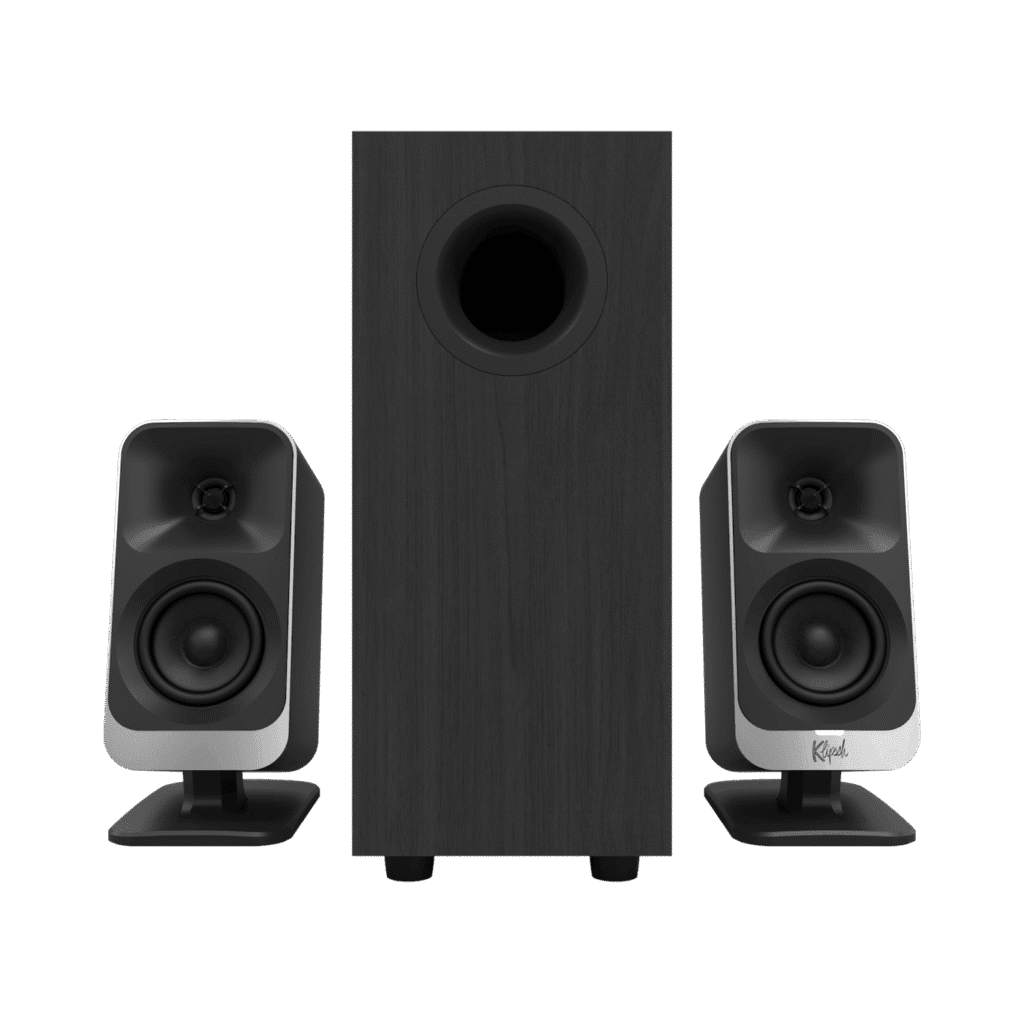
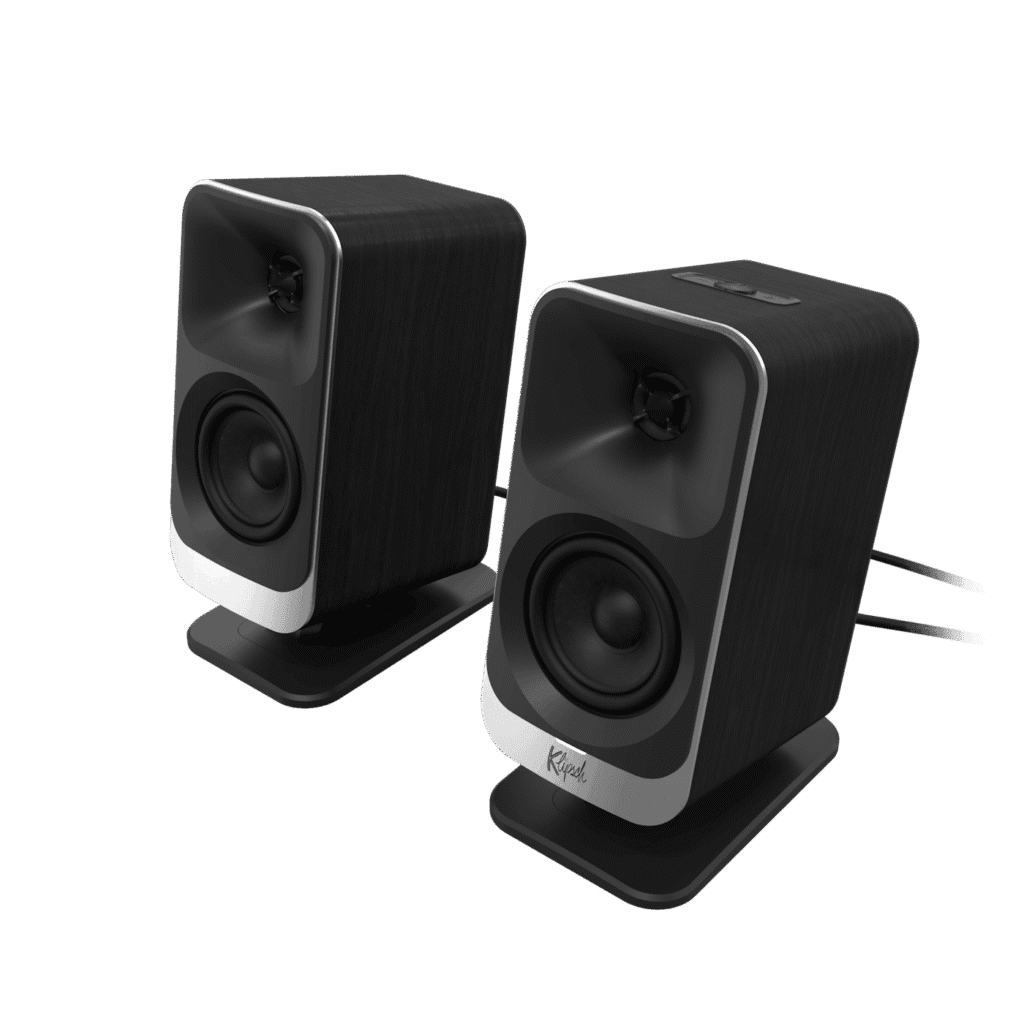
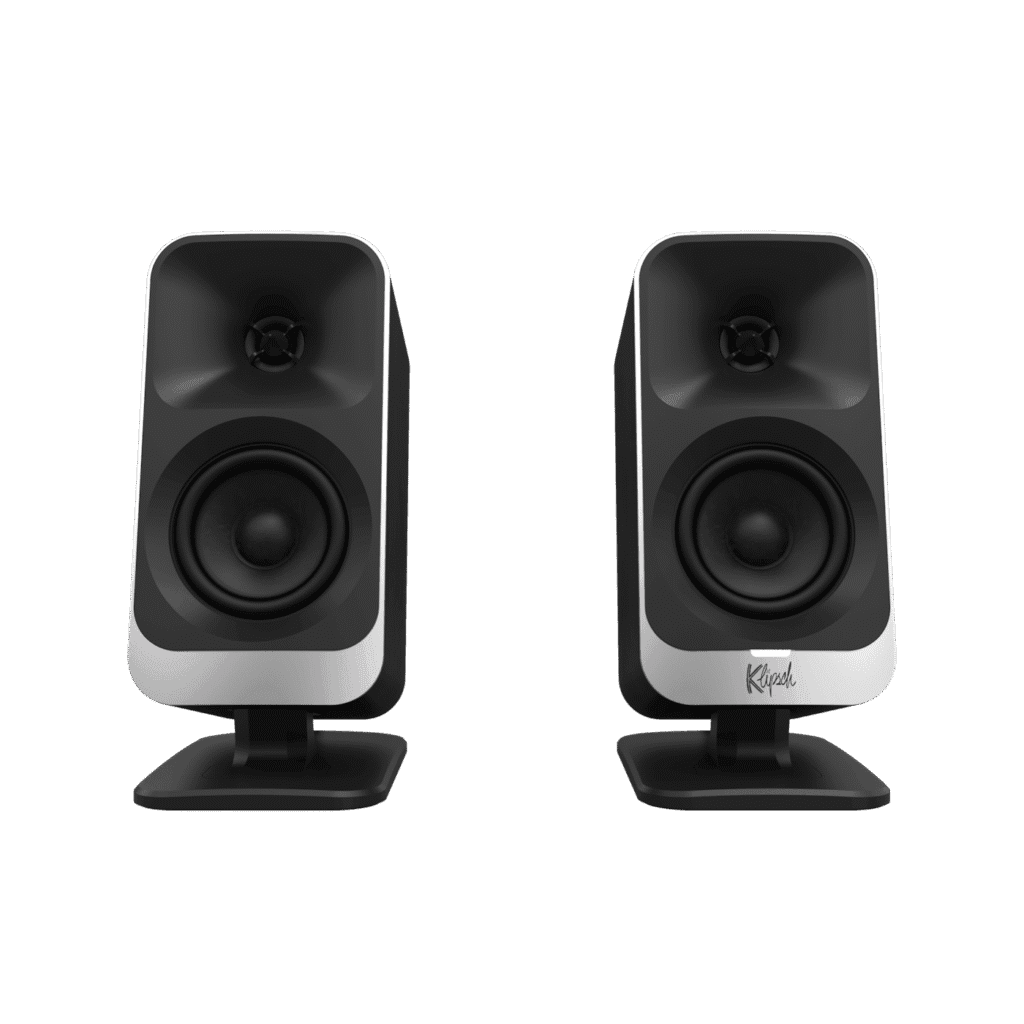
The system includes two satellite speakers featuring tilt-adjustable stands, allowing you to angle the sound toward your listening position. Each satellite houses a horn-loaded tweeter and a midrange driver, providing clarity and a spacious soundstage ideal for music, games, or video content.
Subwoofer
The powered subwoofer is low-profile and designed to fit neatly under or beside your desk. Its ported design ensures deep bass reproduction without overwhelming the midrange, making it ideal for near-field listening. The subwoofer also includes built-in cable management to keep your setup tidy.
Build Materials
The Lumina satellites and subwoofer use a combination of wood-finished enclosures and high-quality plastics, offering durability and a premium feel. Its understated yet stylish appearance fits seamlessly into modern workstations, gaming rigs, and content creation setups.
Technical Specifications
Understanding the technical details helps illustrate why the ProMedia Lumina system outperforms typical desktop speakers:
- Configuration: 2.1-channel (two satellites + subwoofer)
- Satellite Drivers: 1″ horn-loaded tweeters + 3″ midrange drivers
- Subwoofer: 6.5″ ported woofer
- Frequency Response: 40 Hz – 20 kHz
- Power Output: 100W RMS, 200W peak
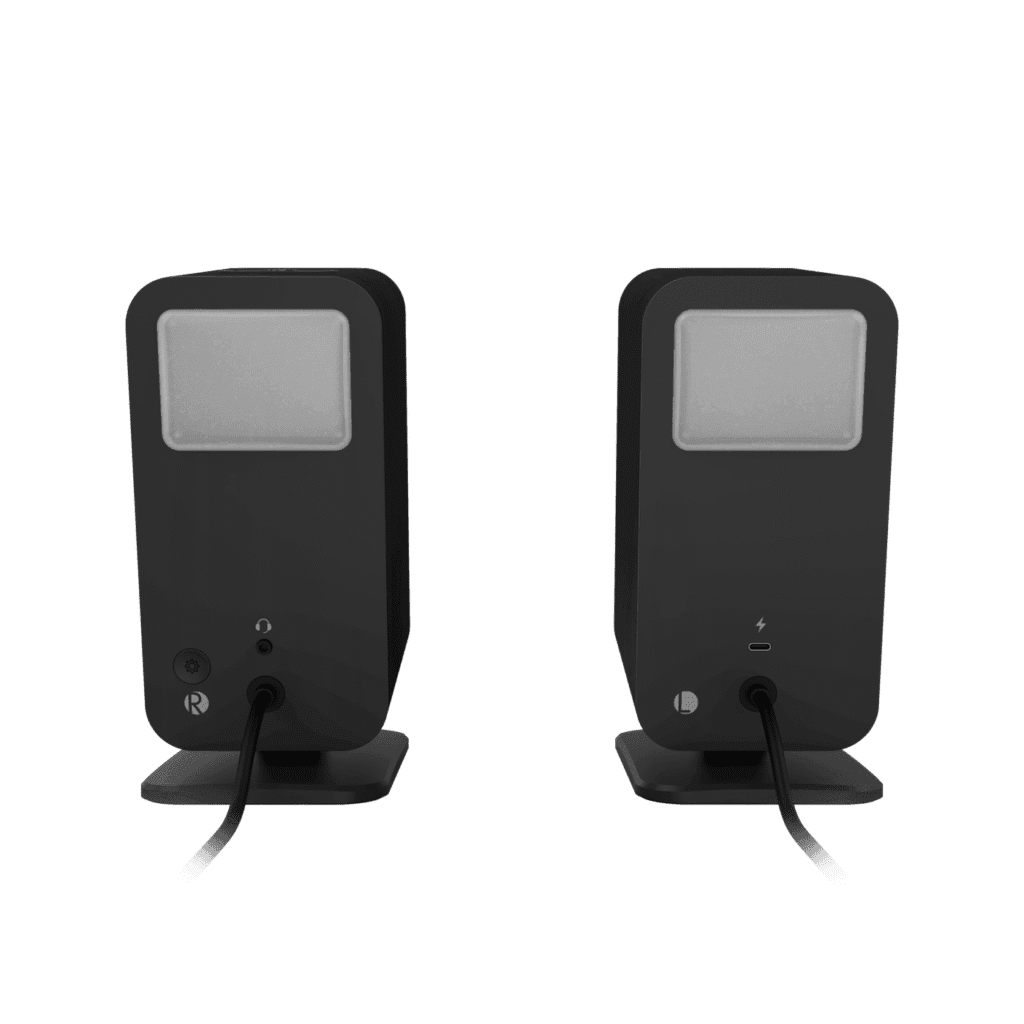
- Connectivity: USB-C, Bluetooth 5.3, 3.5mm AUX
- Control Features: App-based EQ adjustments, lighting modes, Night Mode, Virtual Surround
- Lighting: Customizable RGB LEDs on satellites, multiple modes for ambient or dynamic effects
- Tilt Adjustability: 0°–18° for satellite speakers
These specifications demonstrate that the ProMedia Lumina is more than just a desktop speaker system—it is a fully-featured audio solution for modern work and play.
Audio Performance
Music Listening
The horn-loaded tweeters deliver crystal-clear highs while the midrange drivers provide natural, accurate vocals and instrument separation. Even at moderate volume, the system produces a spacious soundstage suitable for near-field listening.
The subwoofer adds punchy, controlled bass, enhancing tracks across genres from EDM to classical music. While it may not replicate a full hi-fi home system, the bass performance is impressive for a desktop system.
Gaming Experience
Gamers will appreciate the clarity and spatial awareness offered by the Lumina system. Footsteps, dialogue, and environmental sounds are all distinct, helping improve reaction time in competitive games. The Virtual Surround Mode enhances immersion, making it feel as if you are inside the game environment.
Content Creation & Editing
For creators, the Lumina system delivers accurate midrange and neutral tonal balance, which is crucial for editing audio, producing podcasts, or mixing video content. The app-based six-band EQ allows further customization, ensuring your audio monitoring matches your workflow.
Movies & Streaming
Watching movies or streaming content on your computer is a rich, cinematic experience with the Lumina system. Dialogue remains clear, soundtracks feel full-bodied, and explosions or deep effects are well-reproduced, providing a premium desktop theater experience.
Setup & installation guidance
Here are practical tips to get the best performance from your ProMedia Lumina system:
- Choose placement behaviour
- Satellites: set them at or slightly above ear height; tilt them using the adjustable stand so the tweeters point toward your listening position.
- Subwoofer: ideally off the floor but under the desk or beside it; allow space around the port, avoid fully enclosed cabinet.
- Avoid burying the subwoofer in a cabinet unless the port has clearance, as that can muffle bass.
- Connect sources
- For PC: use USB-C if available (audio + power) for clean digital connection.
- For smartphone/tablet: Bluetooth 5.3 or USB-C depending on device.
- 3.5mm AUX is still available for legacy gear.
- Download the Klipsch Control / Connect Plus app
- For Windows (PC) use Klipsch Control; for iOS/Android use Connect Plus. In the app adjust EQ, choose lighting mode, enable Night Mode if needed.
- If using on Windows with RGB gear, explore Screen React / Dynamic Lighting for a cohesive aesthetic.
- Initial tuning
- Use default EQ, play familiar audio (music/movie/gaming) and evaluate bass/treble.
- Adjust subwoofer gain knob: if bass feels too bloated in your desk space, reduce gain; if weak, increase.
- If desk surface vibrates or resonates, insert isolation pads under subwoofer or adjust placement.
- Lighting modes (optional but fun)
- Choose a consistent ambient lighting mode rather than default flashy “light show” if you use the speakers for work.
- Use Music React mode for streaming or gaming sessions when a dynamic visual is desired.
- Update firmware
- Check via the app for firmware updates—these can improve features, fix bugs, add lighting options.
- Desk acoustics awareness
- Reflective surfaces (walls, desk edges) can affect sound. Slight angling of satellites, placing sub off the wall, and avoiding “corner bass traps” under the desk helps.
- If your desk is against a wall, consider leaving some space between sub and wall or using isolation feet.
Connectivity & Features
USB-C Audio
The inclusion of USB-C allows for high-quality digital audio transmission and power delivery, reducing cable clutter and providing a reliable connection for modern laptops and desktops.
Bluetooth 5.3
Wireless streaming via Bluetooth 5.3 provides stable connectivity with minimal latency, perfect for streaming music or connecting a mobile device to your desktop setup.
3.5mm AUX
The legacy 3.5mm input ensures compatibility with older devices, making the system flexible for all types of users.
App-Based Control
The Klipsch Control App offers advanced functionality:
- Six-band EQ
- Lighting customization (ambient, music-reactive, dynamic)
- Virtual Surround Mode
- Night Mode for late-night listening
- Firmware updates for system improvements
These features make the system highly versatile, adaptable to any workspace or entertainment setup.
Lighting & Aesthetics
The Lumina system features RGB lighting built into the satellite speakers. Users can choose from multiple lighting modes:
- Static Ambient Lighting: A subtle glow for professional workspaces
- Music-Reactive Lighting: LEDs pulse with music playback
- Dynamic Modes: For immersive gaming sessions
- Screen-Reactive Mode: Syncs with Windows PC visuals
This combination of lighting and audio performance makes the Lumina system both functional and visually appealing.
Installation & Setup Tips
- Speaker Placement: Tilt satellites toward your ears and keep the subwoofer slightly off the wall for balanced bass.
- Cable Management: Use built-in subwoofer channels to avoid clutter.
- App Customization: Fine-tune EQ, adjust lighting, and enable Virtual Surround via the Klipsch app.
- Night Mode: Reduce bass and overall output for quiet late-night sessions.
- Room Acoustics: Avoid placing the subwoofer in tight corners; leave some space for airflow.
Proper setup ensures maximum clarity, deep bass, and immersive audio.
Comparison With Other Desktop Speaker Systems
- Budget 2.1 Systems: The Lumina surpasses generic speakers with horn-loaded tweeters, app control, and superior bass.
- Bookshelf + Amp Setup: While audiophile systems may offer more raw power, Lumina balances convenience, desk space, and professional sound.
- Gaming RGB Speakers: Many focus on flashy visuals over audio quality; Lumina provides both premium sound and customizable lighting.
Who is this speaker system for? (and who isn’t)
Best-fit audience
- Gamers with mid-to-large desks who want immersive audio + aesthetics.
- Content creators and streamers who want accurate audio plus stylish presentation in their studio setup.
- Music enthusiasts who use their computer workstation for listening and want better sound than typical “computer speakers”.
- Users who want a powerful, modern, connected desktop audio system with future-proofing (USB-C, Bluetooth 5.3, app control).
Less-ideal situation
- Users with very tight budgets who only need simple stereo speakers and don’t care about fine detail or modern features.
- Home-theater-only users in a large living room: While the ProMedia Lumina is excellent, it’s optimized for desk/near-field use rather than full-room 5.1/7.1 theatre setups.
- Users who don’t care about lighting/features and simply want audio; they might find cheaper options suffice.
Pricing & Availability in the US
The Klipsch ProMedia Lumina is priced around $379.99 in the US. Authorized retailers, online platforms, and Klipsch’s website provide purchase options. Consider checking for holiday promotions or bundle deals to maximize value.
Pros & Cons
Pros
- Horn-loaded tweeters for crystal-clear highs
- Deep, controlled subwoofer bass
- USB-C and Bluetooth 5.3 connectivity
- App-based EQ and lighting control
- Compact design with desk-friendly form factor
- Versatile for gaming, content creation, and music listening
Cons
- Premium pricing may not suit casual users
- Subwoofer limited compared to large home hi-fi systems
- Some lighting features require Windows PC
Who Should Buy the ProMedia Lumina
Ideal Users:
- Gamers who want immersive sound and RGB lighting
- Content creators needing accurate audio for editing
- Music lovers upgrading from standard desktop speakers
- Professionals seeking a premium workstation audio setup
Less Ideal:
- Users on a tight budget or casual listeners
- Large-room home theater setups
Final Verdict
The Klipsch ProMedia Lumina Desktop Speaker System sets a new benchmark for premium desktop audio in 2025. Combining horn-loaded clarity, deep bass, versatile connectivity, app-based control, and stylish RGB lighting, it offers professional-grade sound in a compact package.
For US users seeking an upgrade to their workstation, gaming rig, or content creation setup, the Lumina delivers unmatched clarity, flexibility, and immersive audio—making it a must-consider desktop speaker system this year.
Read More on USATrends.tech